StaffViz Mobile App: Track Time & Manage Work From Anywhere
StaffViz mobile app enables employees to track time, manage tasks, and complete assigned work from anywhere. It ensures accurate time logging, real-time visibility, and seamless workflow execution, helping organizations maintain productivity, accountability, and continuous learning on the go.


Mobile Dashboard
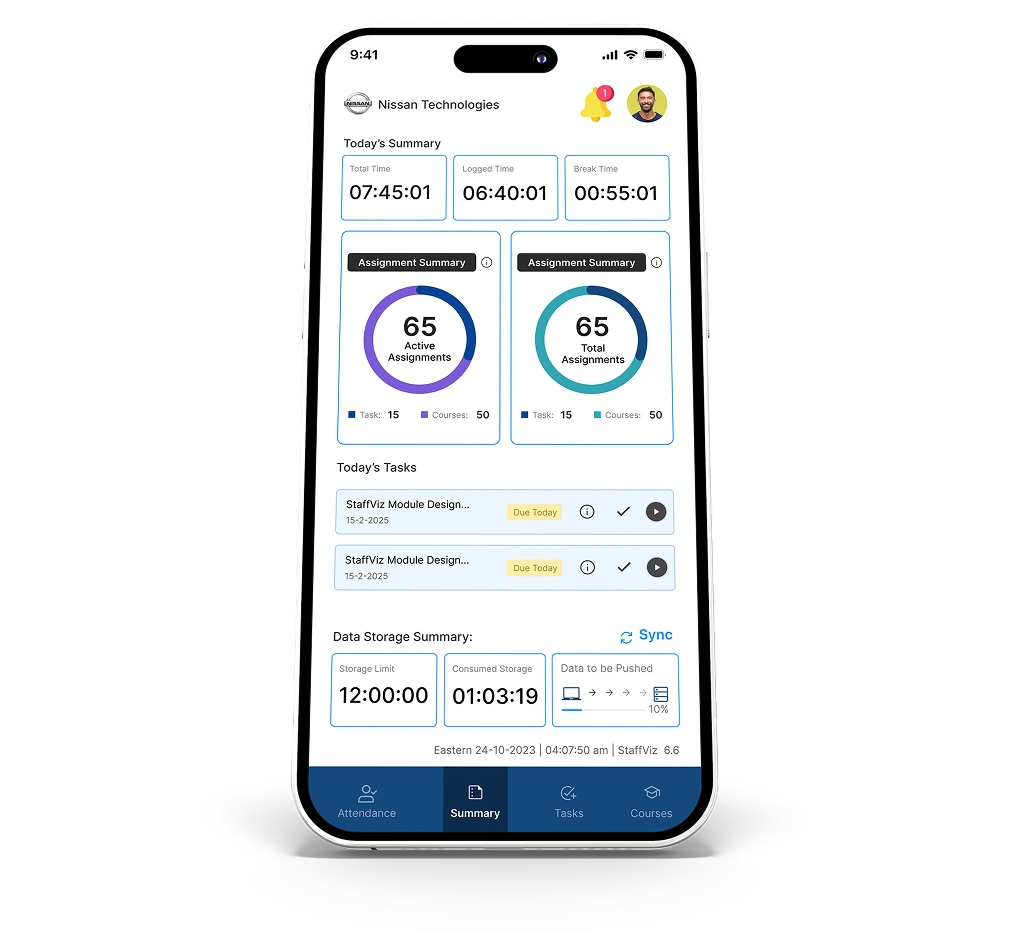
Get an overview of daily work activities, time tracking, and assignments directly from your mobile device.
- Workday Summary – View total time, logged work hours, and break time in one place.
- Assignment Overview – Access total and active assignments including tasks and courses.
- Real-Time Updates – Monitor live changes in work activity and progress.
- Data Synchronization – Track captured data and sync status with the server.
- Quick Navigation – Easily switch between attendance, tasks, courses, and summary.

Attendance & Shift Tracking
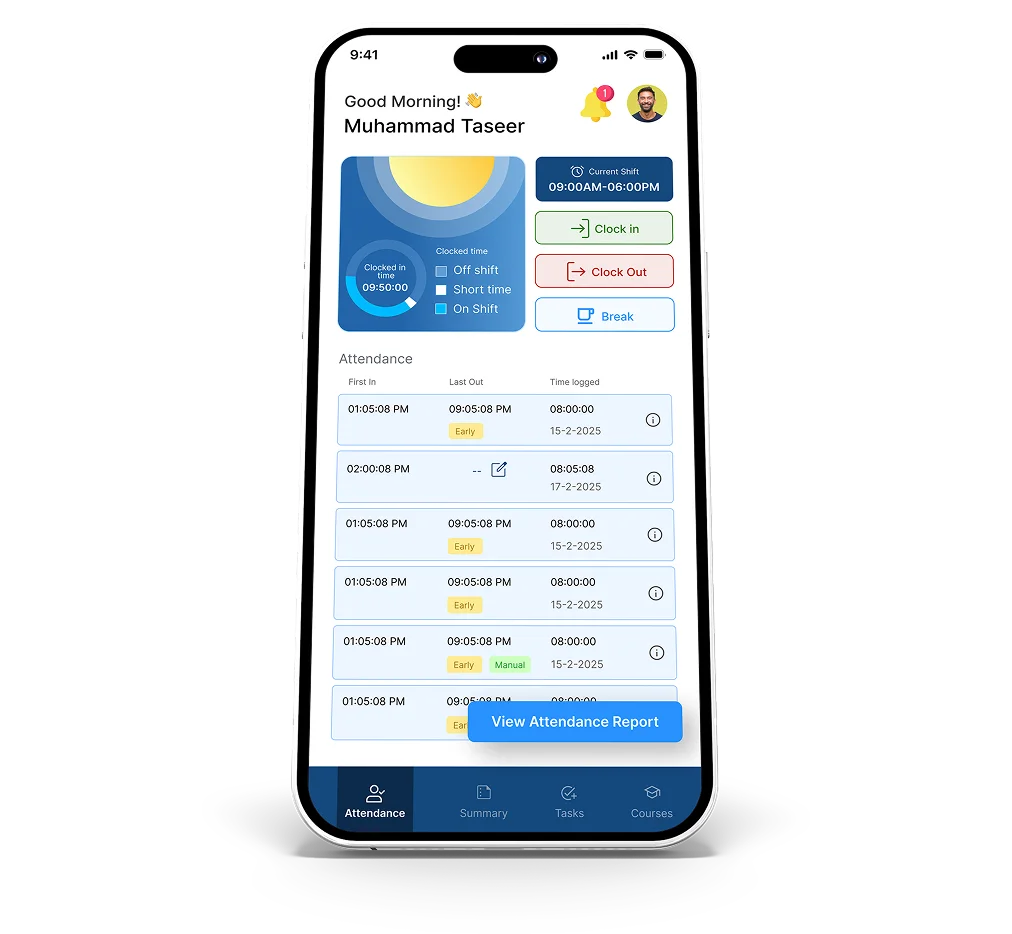
Manage your work schedule with accurate clock-in, clock-out, and shift visibility features.
- Clock In / Clock Out – Start and end your workday with precise time tracking.
- Shift Visibility – View assigned shift timings and stay aligned with schedules.
- Work Hours Tracking – Monitor total logged hours throughout the day.
- Attendance Details – Track first in, last out, and daily attendance records.
- Status Awareness – Stay informed about your current work and attendance status.

Task-Based Time Tracking
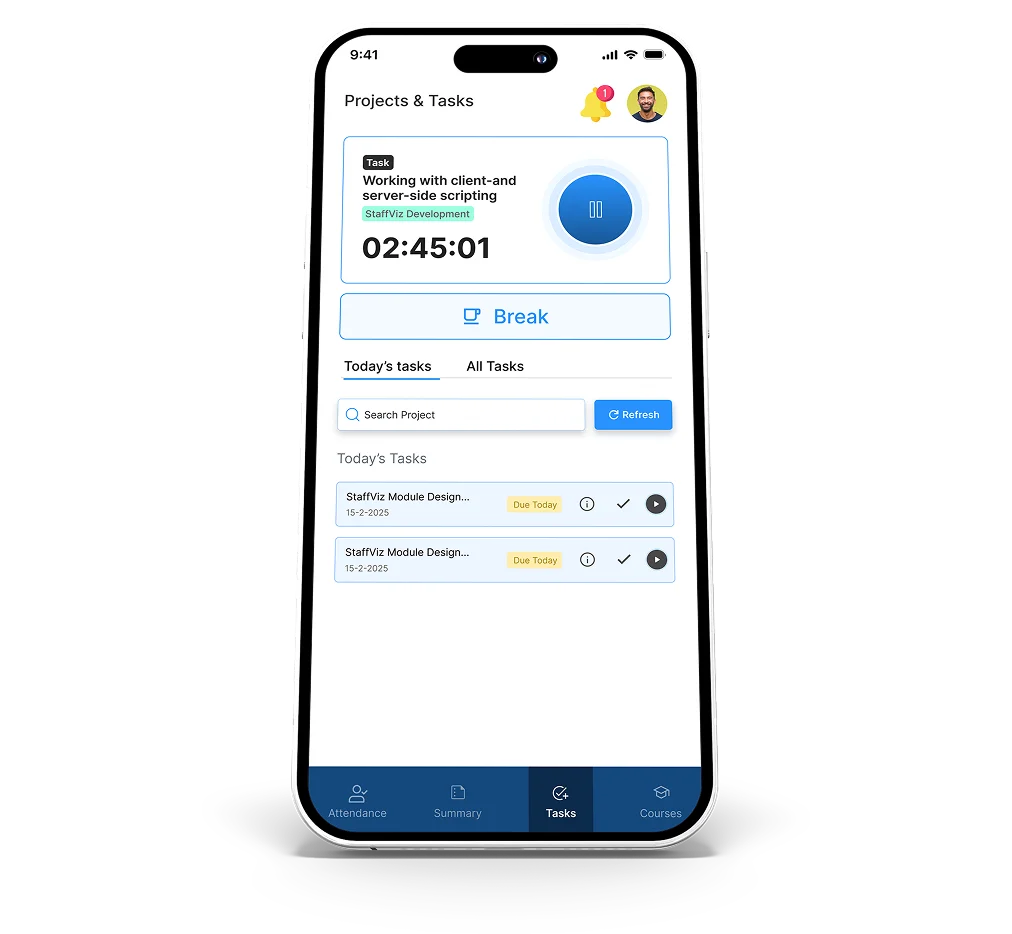
Ensure accurate time tracking by linking work hours directly to tasks and assignments.
- Task Activation – Start tracking time instantly by initiating a task.
- Live Time Tracking – Monitor work duration with an active timer.
- Task Control – Pause, resume, or switch tasks as needed.
- Task Details Access – View project, description, and task status in one place.
- Accurate Time Allocation – Ensure all logged time is mapped to tasks and projects.

Projects & Tasks Management
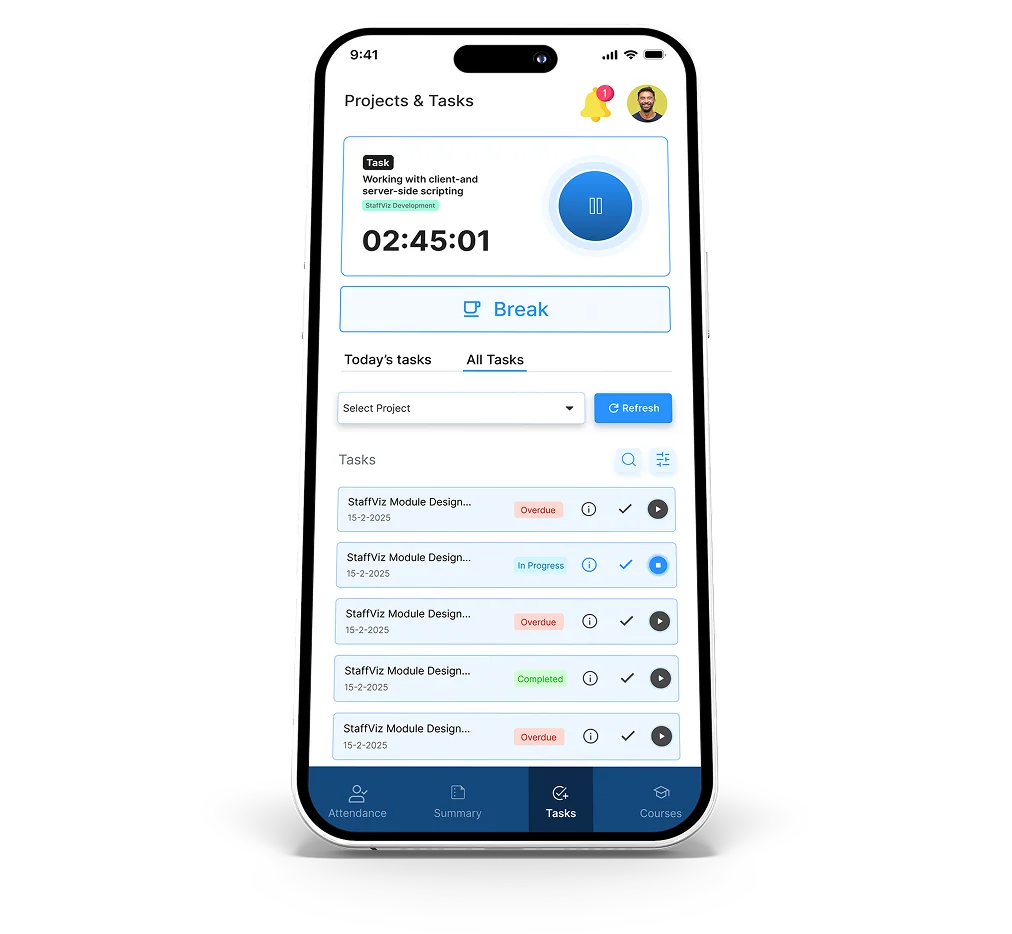
Manage assigned work efficiently with organized access to projects and tasks.
- Project-Based Organization – View tasks grouped under specific projects.
- Task Visibility – Access today's tasks and all assigned tasks.
- Search & Filters – Quickly locate tasks using search and filtering options.
- Active Task View – Monitor currently running tasks with live tracking.
- Assignment Notifications – Receive alerts for new tasks and updates.

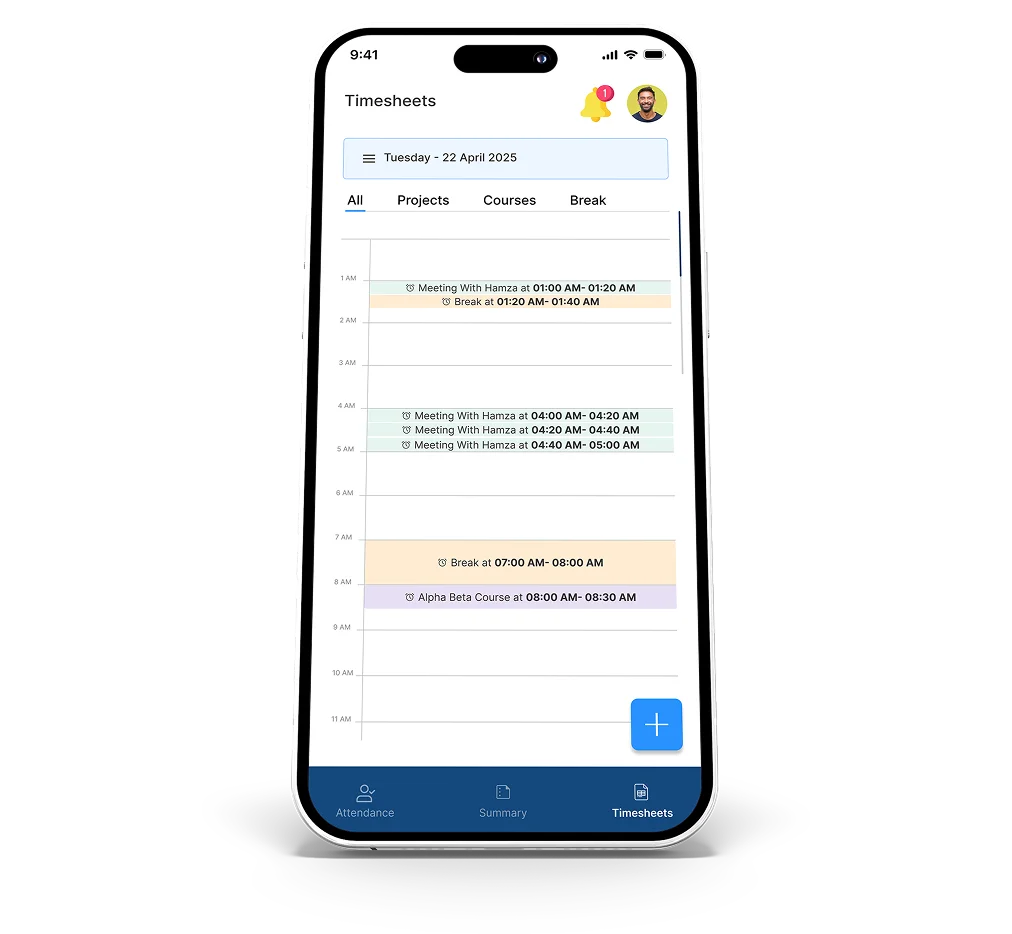
Manual Timesheets
Add and manage time of entries manually to ensure complete and accurate records.
- Manual Time Entry – Log work hours for tasks, courses, or breaks.
- Flexible Time Selection – Define start and end times for each entry.
- Project & Task Mapping – Associate entries with specific projects and tasks.
- Timeline View – Review all time entries in a structured daily format.
- Data Completeness – Ensure no work time is missed or unrecorded.

Course Tracking & Learning
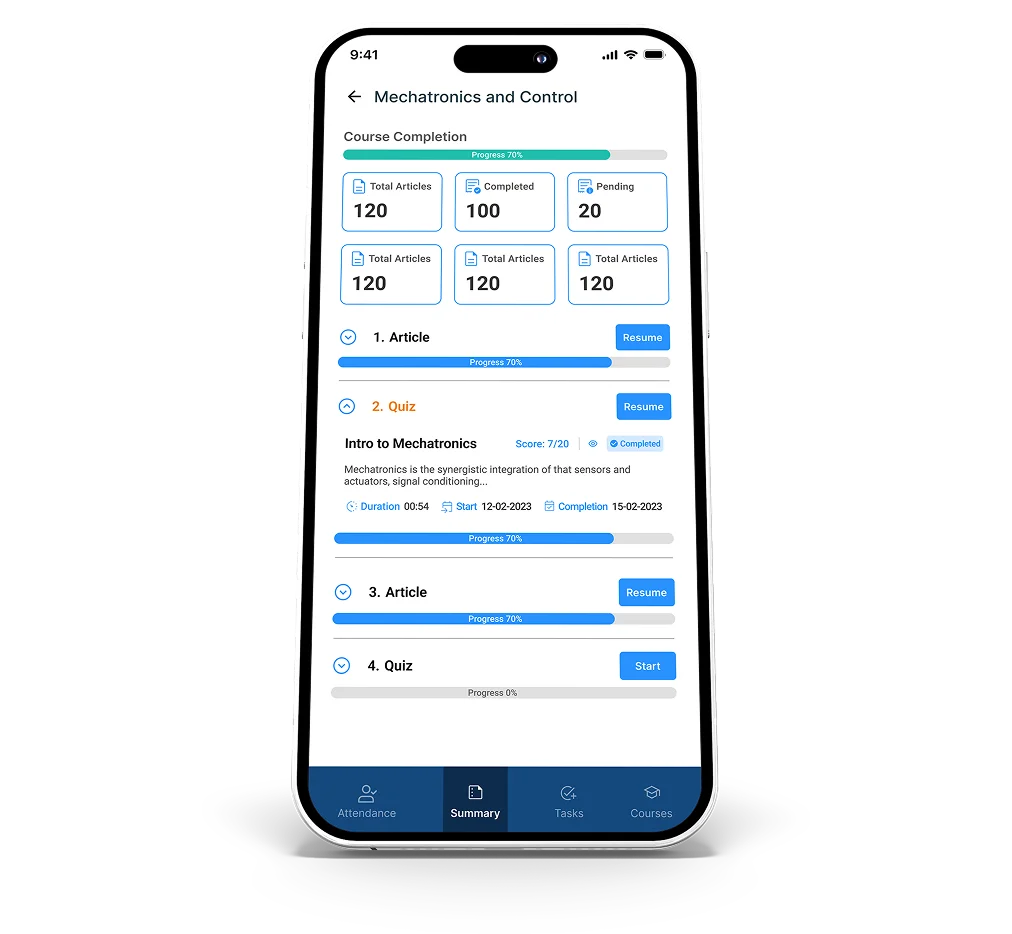
Enhance employee skills through structured courses with integrated time tracking and progress monitoring.
- Course Access & Assignment – View and access assigned courses directly from the mobile app.
- Interactive Content – Complete articles, quizzes, and multimedia learning materials.
- Guided Learning Experience – Progress through courses step-by-step with a clear and structured learning path.
- Progress Tracking – Monitor course completion with progress indicators and status updates.
- Time-Linked Learning – Track time spent on courses with active time tracking enabled.